A fiscal receipt for every online order, automatically
The customer pays in your web shop, BokaPOS issues the fiscal receipt with the Tax Administration and sends it to the customer. No fiscal device, no retyping, no waiting.
IB 1774Approved ESIR of the Tax AdministrationThe sandbox is free.
How it works
Three steps that happen on their own, in a few seconds, after every paid order.
The customer pays the order
The web shop works as before. Once the payment goes through, the order reaches BokaPOS: through the ready plugin or with one call from your system.
WooCommerce plugin or API
BokaPOS issues the fiscal receipt
The receipt is signed with the Tax Administration through your company's security element. It exists only once the signed response arrives, so there are no duplicate or unconfirmed receipts.
Signed by the Tax Administration
The customer gets the receipt
A PDF with the QR code reaches the customer by e-mail or as a link in the order. You see it in the journal, and your accountant downloads it when needed.
PDF, QR code, verification link
Works with the shop you already run
WooCommerce has a free plugin. Shopify, Magento, PrestaShop, OpenCart and custom systems connect through the API, with a guide for each platform.
WooCommerce
Ready-made pluginFree plugin: install, map taxes and payments, fiscalize from the order. No code.Shopify
Through the APIThrough the BokaPOS API from a custom Shopify app: paid-order webhook, one call, receipt to the customer.Magento / Adobe Commerce
Through the APIA module or observer on order status change calls the BokaPOS API. For Magento Open Source and Adobe Commerce.PrestaShop
Through the APIA module on the order status hook calls the BokaPOS API; PDF and link to the customer from the PrestaShop e-mail.OpenCart
Through the APIAn extension on the order status event calls the BokaPOS API. For OpenCart 3 and 4.Custom system, ERP and SaaS
Through the APIYour own web shop, ERP, marketplace or SaaS: one REST call per order, an OpenAPI contract and examples in five languages.
What you get
Everything online selling needs from fiscalization, with no extra equipment and no manual work.
The receipt reaches the customer by itself
A PDF with the QR code and verification link goes to the customer's e-mail, with your logo and message.
Refunds and advances
Refunds and payments upfront get a correct fiscal receipt, tied to the original one.
Cloud POS for phone orders
An operator issues the receipt in the browser, from the same catalogue and the same journal as the web shop.
A journal for you and your accountant
Every receipt in one place: search, export and download in every format.
Always current tax rates
Rates are read from the Tax Administration before every receipt, so a change in the rules asks nothing of you.
No duplicate receipts
The same order never gets two receipts, even when the request is sent twice.
cloud.bokapos.rsNew sale in the cloud POS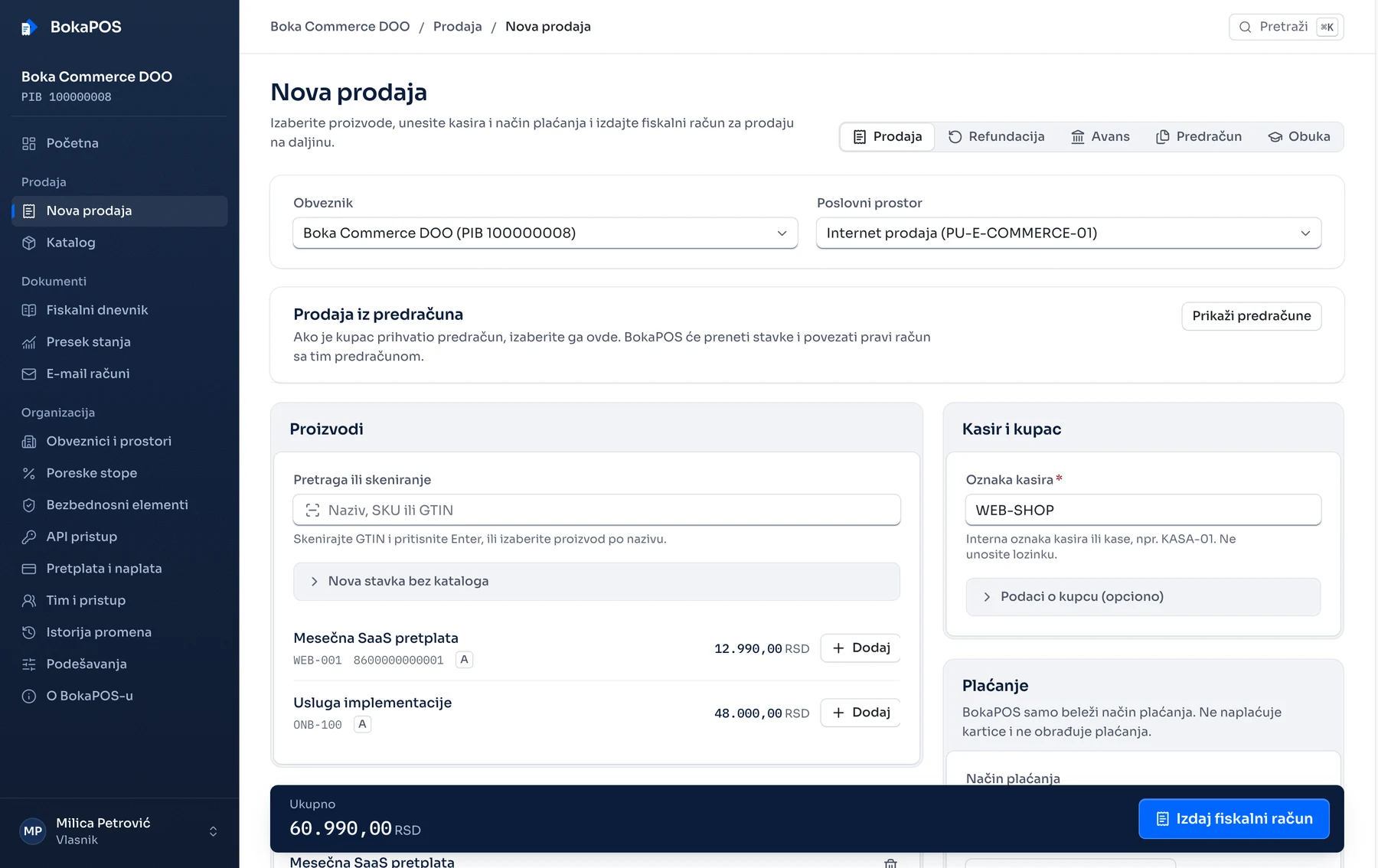
One monthly price, no hidden items
A base per business premise that issues receipts, 600 documents per month included for the whole company, and two modules you switch on when needed.
The first month is prorated by day. Nothing is blocked when you go over.
Monthly subscription
VAT included1,600RSD per month
per business premise (security element)
- Documents included
- 600 / month
- Beyond the included
- 1 RSD / document
- Advance module
- +600 RSD / month
- E-mail module
- +600 RSD / month
- Sandbox
- free
For developers
One API call, one fiscal receipt
A REST API with a public OpenAPI contract, examples in five languages and a free sandbox. The 201 response arrives only once the receipt is signed by the Tax Administration and durably stored.
- Idempotent
- An Idempotency-Key derived from the order: a repeated request returns the same receipt, never a second one.
- Clear statuses
- FISCALIZED, REJECTED, NOT_FISCALIZED and OUTCOME_UNKNOWN, with no hidden states and no blind retries.
- Sandbox right away
- Sandbox access the same working day, the same API and the same contract as production.
curl -X POST "https://api.bokapos.rs/v1/fiscal-documents" \
  -H "Authorization: Bearer $BOKAPOS_TOKEN" \
  -H "Idempotency-Key: order-4127-sale-1" \
  -H "Content-Type: application/json" \
  -d '{
  "taxpayerId": "3f9c2a8e-6b1d-4e5a-9c47-1d2b8e6f0a11",
  "businessPremiseId": "b7d4e2c1-9a3f-4c8e-8f21-6e5a0c9d3b22",
  "clientReference": "ORDER-4127",
  "invoiceType": "NORMAL",
  "transactionType": "SALE",
  "cashier": {
    "id": "web-shop"
  },
  "items": [
    {
      "name": "Bluetooth slušalice",
      "unitOfMeasure": "kom",
      "quantity": 1,
      "unitPrice": 8990,
      "taxLabels": [
        "F"
      ]
    }
  ],
  "payments": [
    {
      "type": "CARD",
      "amount": 8990
    }
  ]
}'Frequently asked questions
Do I need a fiscal device or an L-PFR?
No. BokaPOS is an ESIR that fiscalizes through the Tax Administration's virtual processor (V-PFR). All you need is the file-based security element the taxpayer receives from the Tax Administration for distance selling.
Who is BokaPOS for?
Web shops, SaaS and subscriptions, marketplace platforms, delivery and any distance selling where the receipt is created in a system rather than at a till. The cloud POS also covers the part of sales an operator enters by hand.
What happens when I exceed the included 600 documents?
Every additional document in that calendar month is RSD 1. There is no block and no plan change; the amount is visible on the subscription page during the month.
What counts as a document?
Every document that receives a signed response from the Tax Administration: sale, refund, advance, proforma, training and copy. Rejected and failed attempts are not charged.
Is BokaPOS approved by the Tax Administration?
Yes. By decision 000-092-00-00256/2026-0000 of 29 October 2026 the Tax Administration approved the use of BokaPOS (version 1.0.1) as an ESIR, IB 1774. The decision is available on the Documentation page.
Your first sandbox receipt, the same day
Send us a few sentences about how you sell. We reply the same working day with sandbox access; if the shop runs on WooCommerce, the plugin works right away.